
| 일 | 월 | 화 | 수 | 목 | 금 | 토 |
|---|---|---|---|---|---|---|
| 1 | 2 | 3 | ||||
| 4 | 5 | 6 | 7 | 8 | 9 | 10 |
| 11 | 12 | 13 | 14 | 15 | 16 | 17 |
| 18 | 19 | 20 | 21 | 22 | 23 | 24 |
| 25 | 26 | 27 | 28 | 29 | 30 | 31 |
- OpenGL
- opengl3.3
- opengl 3.3
- gsls
- 아트
- Color struct
- Codeforce
- Texture2D
- shader
- ShaderProgram
- string_view
- voronoi
- C++
- Today
- Total
Longseabear DevLog
나만의 Texture2D class 만들기 본문
더러운 Opengl texture 설정코드를 단순화 해 볼 것이다. 목표는 다음과 같다.
    auto texture = LEapsGL::Texture2D("resources/textures/container.jpg");
    texture.Apply();

    // Draw
    while(true)..
        shaderProgramObject.use();
        shaderProgramObject.setFloat("deltaTime", timeValue);

        texture.use();
        glBindVertexArray(VAO);
        glDrawElements(GL_TRIANGLES, 6, GL_UNSIGNED_INT, 0);
Unity와 비슷하게 구조화했다. texture class를 통해 이미지를 불러오고, 처리가 모두 끝나면 Apply 함수를 통해 cpu에서 gpu로 전달한다. 그 후, use를 사용하면 자동으로 바인딩 되도록 만들었다. 추후에는 Unity의 material이 multiple shader를 가질 수 있도록 수정할 예정이므로, Texture unit 개념은 material 구현까지 미뤄둔다.
Rule of five & Swap idiom
새롭게 만든 texture2D의 멤버변수는 다음과 같다.
    private:
        GLuint ID;
        TextureFormat format;
        GLuint mipmapCount;
        std::shared_ptr<Pixel> data;
        int width, height, nrChannels;

        std::map<GLuint, GLuint> textureParams;
ID는 opengl에 할당된 texture의 id를 가지고 있다. format은 GL_RGB, GL_RGBA 등 저장된 이미지의 포맷을 의미한다. mipmapCount는 아직 사용하지 않지만, 추후에 mipmap을 구조화 할 때 사용할 예정(유니티 script API document를 참고했다). data는 shared pointer를 통해 이미지를 들고 있을 것이다. Pixel은 그냥 unsigned char.
        friend void swap(Texture2D& lhs, Texture2D& rhs) {
            using std::swap;
            swap(lhs.data, rhs.data);
            swap(lhs.format, rhs.format);
            swap(lhs.height, rhs.height);
            swap(lhs.width, rhs.height);
            swap(lhs.ID, rhs.ID);
            swap(lhs.mipmapCount, rhs.mipmapCount);
            swap(lhs.nrChannels, rhs.nrChannels);
            swap(lhs.textureParams, rhs.textureParams);
        }
swap idiom을 위하여 swap 함수를 만든다. 이렇게 하게 되면 복사할당자와 이동할당자를 쉽게 구현할 수 있다.
        Texture2D& operator=(Texture2D other) {
            swap(*this, other);
            return *this;
        }
        Texture2D& operator=(Texture2D&& other) noexcept {
            swap(*this, other);
            return *this;
        }
이제 여기서 아낀 힘으로 복사 생성자를 구현하면 된다.
        Texture2D(const Texture2D& rhs): Object(){
            this->ID = rhs.ID;
            format = rhs.format;
            mipmapCount = mipmapCount;
            data = rhs.data;

            int size = rhs.width * rhs.height * rhs.nrChannels;
            Pixel* copiedData = new Pixel[size];
            std::memcpy(copiedData, rhs.data.get(), size);
            data = std::shared_ptr<Pixel>(copiedData, stbi_image_free);

            width = rhs.width;
            height = rhs.height;
            nrChannels = rhs.nrChannels;
            textureParams = rhs.textureParams;
        }
이제 이미지를 읽어오는 Load 함수를 만든다
void LEapsGL::Texture2D::Load(const char* path)
{
    glGenTextures(1, &ID);

    // set the texture wrapping parameters
    SetTextureParam(GL_TEXTURE_WRAP_S, GL_REPEAT);
    SetTextureParam(GL_TEXTURE_WRAP_T, GL_REPEAT);

    // set texture filtering parameters
    SetTextureParam(GL_TEXTURE_MIN_FILTER, GL_REPEAT);
    SetTextureParam(GL_TEXTURE_MAG_FILTER, GL_REPEAT);

    stbi_set_flip_vertically_on_load(true);
    data = std::shared_ptr<Pixel>(stbi_load(path, &width, &height, &nrChannels, 0),
        stbi_image_free);
    format = GetTextureImageFormatFromPath(path);

    if (data == nullptr) {
        std::cout << "failed to load texture\n";
    }
}
void LEapsGL::Texture2D::SetTextureParam(GLuint key, GLuint value)
{
    textureParams[key] = value;
}
Texture id를 생성하고 저장한다. Texture param은 opengl에 바로 적용하지 않고 map 자료구조에 저장한다. 나는 영상처리 위주의 opengl 프로젝트를 만들거라 cpu -> gpu로의 이미지 이동이 빈번하게 발생할 수 있고, 옵션도 바꿀 수 있도록 만들것이기 때문에 나중에 Apply 함수가 호출되면 옵션이 적용되도록 구현했다. (현재는 integer만 가능)
void LEapsGL::Texture2D::Apply()
{
    use();
    for (auto iter : textureParams) {
        glTexParameteri(GL_TEXTURE_2D, iter.first, iter.second);
    }

    glTexImage2D(GL_TEXTURE_2D, 0, format, width, height, 0, format, GL_UNSIGNED_BYTE, data.get());
    glGenerateMipmap(GL_TEXTURE_2D);
}
Apply를 호출하면 모든 파라미터를 현재 바인딩된 텍스쳐에 적용하고 현재 저장된 이미지를 cput -> gpu로 이동시켜준다.
use는 texture를 바인딩해준다.
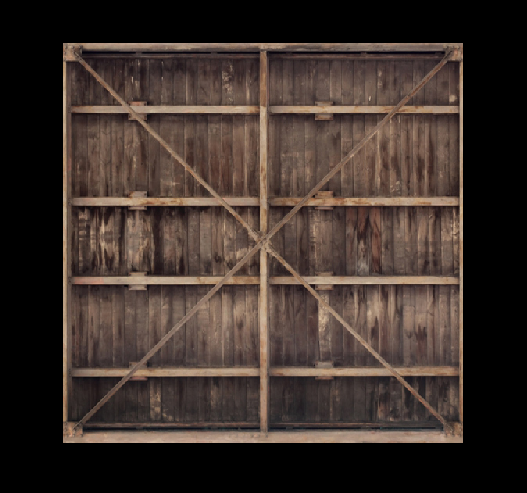
Textutre2D class가 잘 동작하는 것을 확인할 수 있다.
'Graphics Project' 카테고리의 다른 글
| Voronoi noise 파헤치기 (0) | 2024.10.27 |
|---|---|
| Color struct 만들기 (0) | 2023.01.31 |
| Shader program wrapper class (0) | 2023.01.28 |
| Opengl 3.3 시작 (0) | 2023.01.28 |

